Gingco Share meeting room booking system

Meeting room booking done right: the smartest way to run your meetings 

The room is free. The video setup works. Coffee and snacks arrive right on time, and everyone's there. With Gingco Share, the next-generation meeting room booking system, every meeting can run this smoothly.

Your team books the right meeting room in just a few clicks, together with AV equipment, catering and other services. Gingco Share handles everything else behind the scenes: the caterer gets the order, your facilities team gets the AV and seating details, and attendees get everything they need to know about the meeting.

Room booking has never been this easy. And with built-in analytics, you always know which rooms are actually being used and what your organization really needs.

Gingco_17092024_494
Filter, find, book

Book meeting rooms in a few clicks

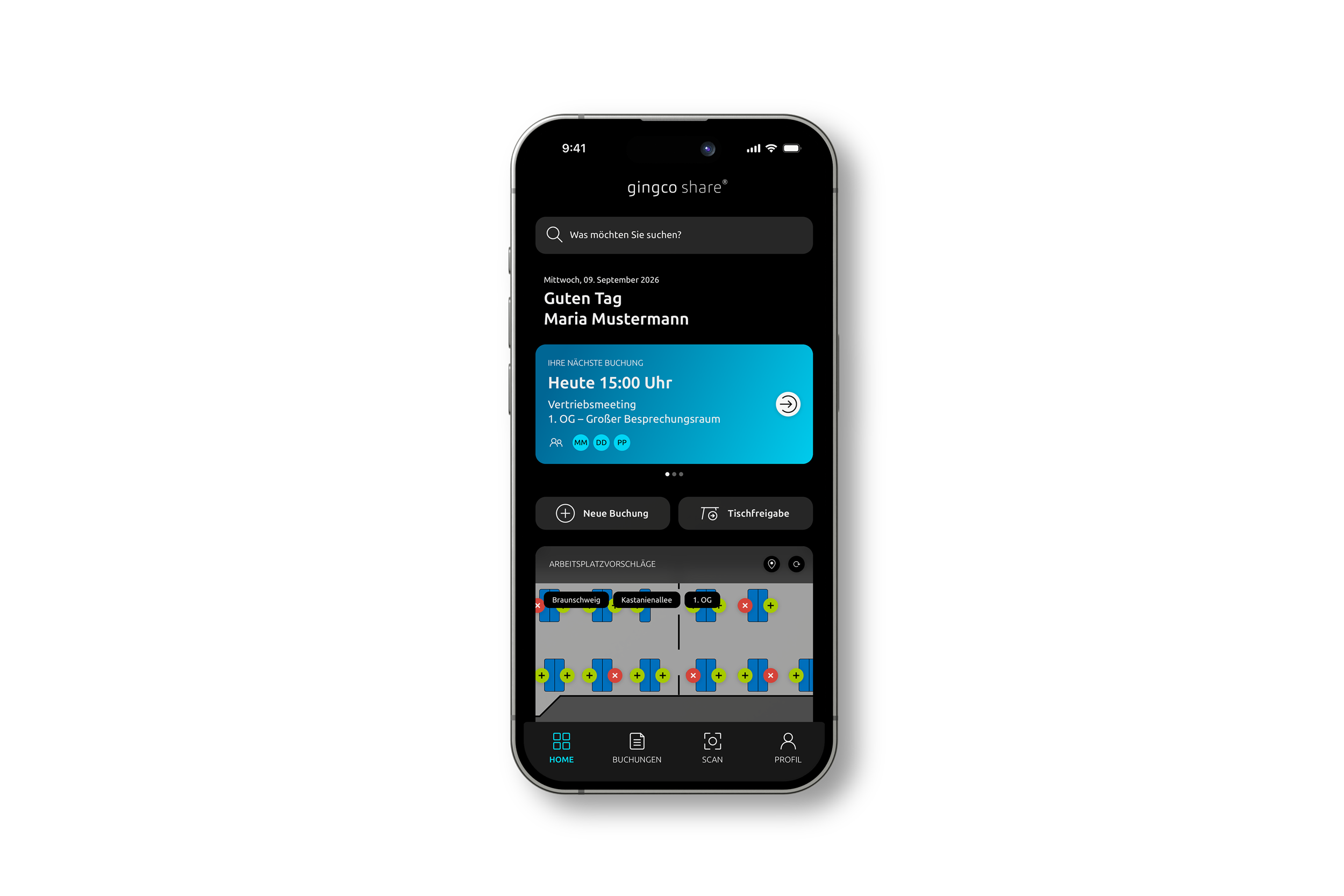
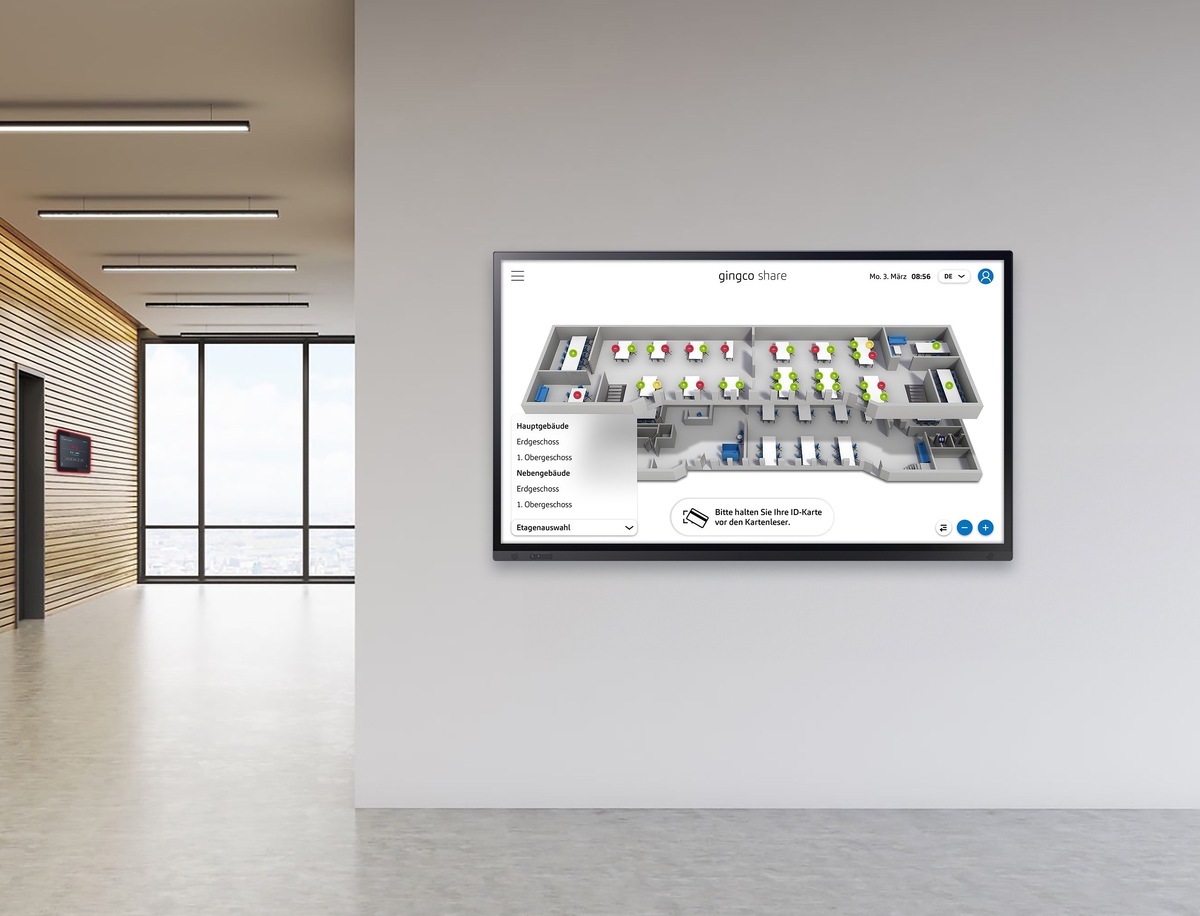
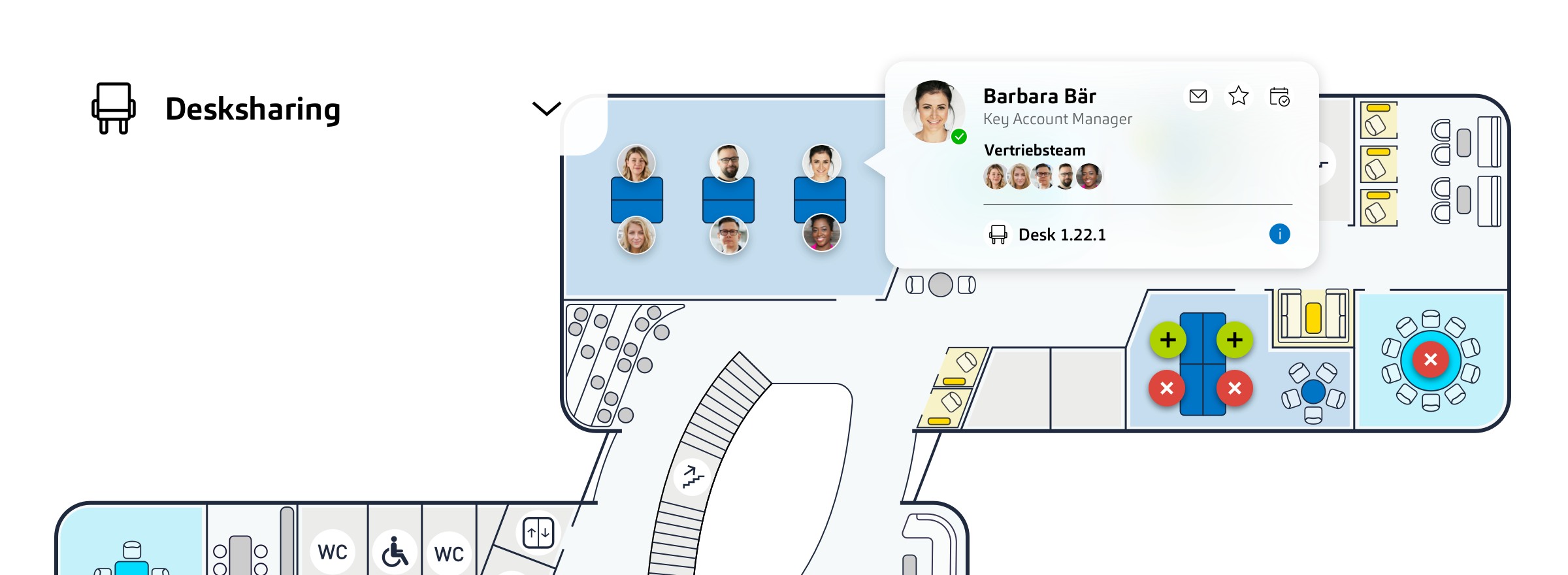
Six people need a meeting room with video conferencing tomorrow morning. But which room is the best fit? In Gingco Share, your team simply filters by time, number of attendees and equipment. The system then shows only the rooms that match and are available when you need them. Booking takes one click and syncs in real time, so the status is always up to date everywhere: in Outlook, in the mobile app and on the room display. On the floor plan, traffic-light colors show availability at a glance: green means free, red means booked and yellow means partially booked.

On the floor plan, traffic-light colors show availability at a glance: green means free, red means booked and yellow means partially booked.

hero_bg_radial_gradient_rotate2@2x
Fully integrated with your groupware

Bidirectional Exchange synchronization
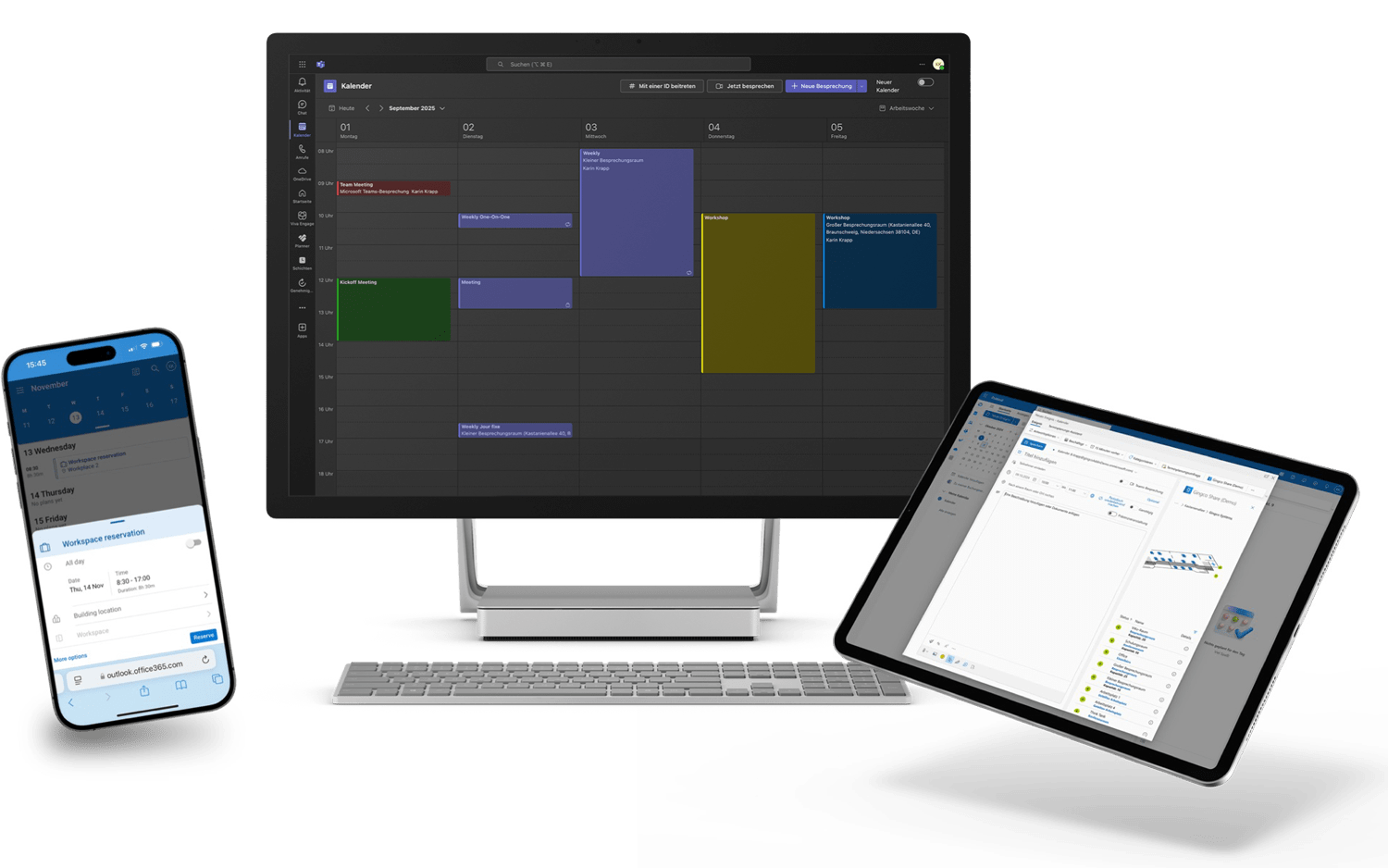
Our Add-In connects Gingco Share seamlessly to Microsoft Exchange, with support for private appointments, automatic Teams meetings, and bidirectional synchronization via the Microsoft Graph API. Gingco Share also integrates with Google Workspace, Open-Xchange, and other standards-based groupware, so you always have the full picture – across platforms, in real time.
Share_Devices_Exhange_Sync
Book on the spot, synced everywhere

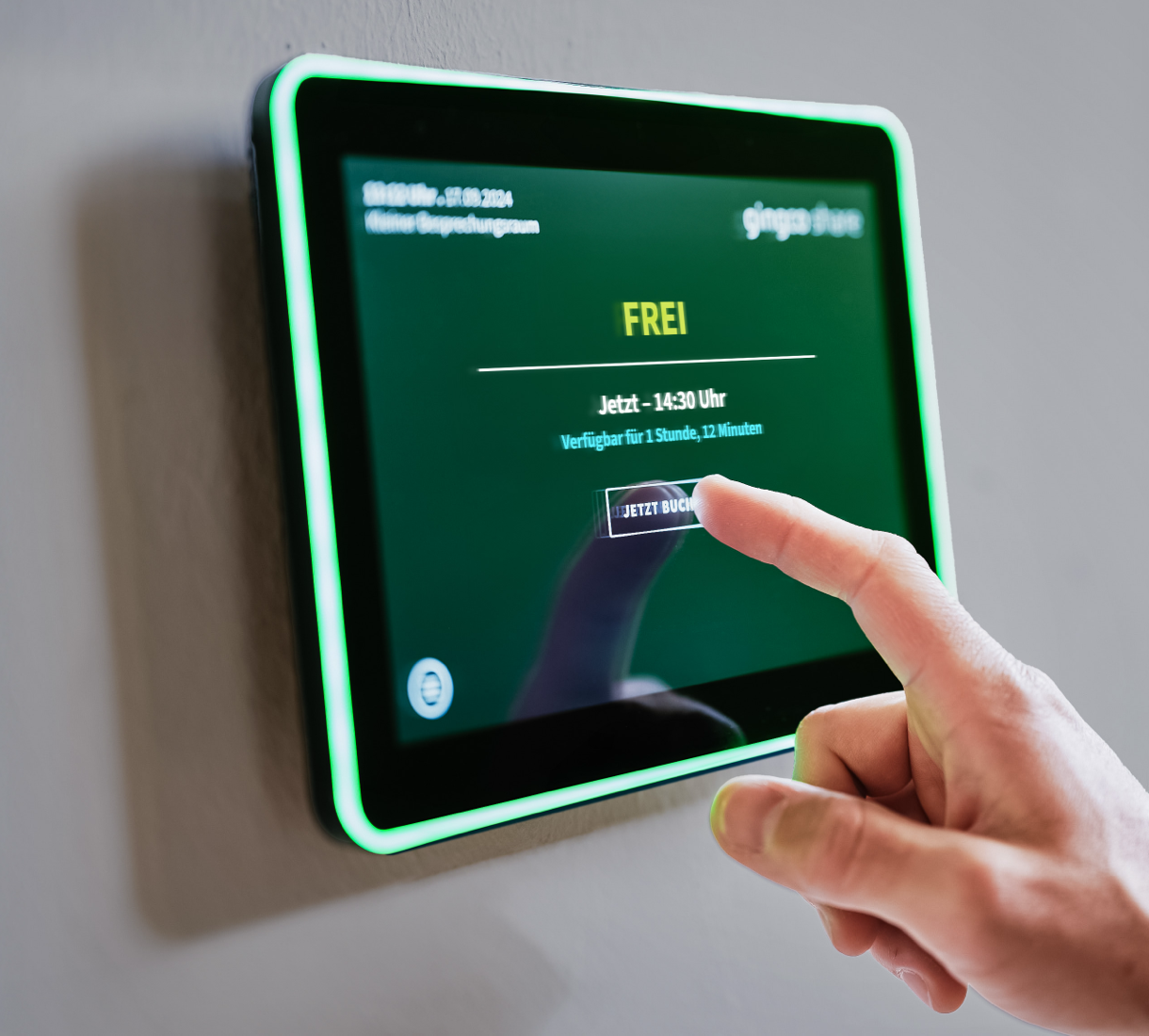
Book at the meeting room display or booking kiosk

Need a room on the spot? Touchscreen room displays and central booking kiosks show at a glance whether a room is free. One tap or a quick badge scan, and the room is yours. Extending a running meeting is just as easy, as long as nothing is booked next. Thanks to two-way Exchange sync, the new status appears instantly in all other applications. Lobby displays help employees and visitors find their way through the building to the right meeting room.
gingco_share_kiosk_mockup-2-1

image_display_DE
Unused rooms go back to your team

Check-in and check-out: release no-show bookings automatically

With check-in, meeting organizers or attendees confirm that they are actually using the room. No check-in? The booking is released automatically after a set time, and thanks to real-time sync, the room is immediately available to everyone again. YOu can check in via: room display, mobile app, booking kiosk, employee badge or QR code.

Meeting finished early? Check-out is just as easy as check-in. One click, and the room is released. Check-in and check-out are not just convenient for employees, they pay off for your organization too: you see which booked rooms are actually used, giving you better data for space planning decisions.

Book AV equipment and catering with your meeting room

Need AV equipment for your next meeting, and catering too?
With Gingco Share, it's all part of booking the room.

Gingco_17092024_477-1

Add AV equipment as needed

From a portable projector to a full conferencing setup: your team books equipment together with the room, based on their permissions and availability.
Built-in equipment, such as a conferencing system, can be used as a search filter when looking for a room. Portable equipment, such as

Add catering to your room booking

With Gingco Share, your team orders food and drinks right when booking the room and decides what arrives when. For example: drinks at the start, lunch at 12:30, coffee and cake in the afternoon. The caterer receives the order automatically, by email or through their delivery list in the system.

Once set up, the software knows the lead time for every item: coffee, tea and water arrive within 15 minutes, while a sheet cake has to be ordered a day ahead. Anything that can't be delivered in time isn't offered when booking.

For paid services, you can add an approval step if needed.

Worldwide bookings

Conference room booking across locations and time zones

Your Berlin and New York teams have a joint meeting coming up. That means two rooms and two time zones, and ideally both booked in just a few clicks.

With Gingco Share, your team books both rooms in one go. The system automatically converts to local time, so colleagues at each location see the meeting in their own time zone. Both rooms stay linked: if the meeting moves, both bookings move with it. The software detects conflicts immediately and suggests alternative rooms or times if needed. Booking meetings across locations, without the back-and-forth.

Group + BTN_Hero_LM Mask
Setup requests that never get lost

Combine and divide rooms

Once a year, your 60-member committee meets in person. That means three meeting rooms need to be combined into one large room. The setup request to facilities? Buried somewhere in someone's inbox. The Gingco Share meeting room booking system makes sure everything is set up as needed. Combined rooms are set up as a separate bookable room. It also works the other way around: a large hall that can be divided with partition walls is shown as one room, and each section as its own bookable room. As soon as the hall or one of its sections is booked, your facilities team automatically receives a setup request, with the lead time they need.

The right setup for every meeting

Seating layouts and room setup included in the booking

Classroom style for the committee, U-shape for the workshop, theater style for the presentation: each room's available seating layouts are stored in the system, and your team picks the right one when booking. Your facilities team sees the selection right away and prepares the room in time. No more separate emails or phone calls to coordinate. Since every room's equipment details are stored in the system, facilities answers far fewer questions and can focus on getting rooms ready.
iStock-669887538

iStock-669887350-1
Setup requests that never get lost

Booking rules, roles and permissions for room booking

How far in advance can rooms be booked? How many occurrences can a recurring meeting have? Which catering can people order without cost approval? You set all of this in the system. The same applies to catering lead times and setup times for room changes: facilities needs a minimum amount of time to prepare a booked room, and caterers need preparation time too, depending on what is ordered. With the Gingco Share roles and permissions model, you control who can book what. Build custom roles from around 150 individual permissions, for all users or, with multi-tenant support, for individual groups. From "everyone can do everything" to a detailed model with multiple permission levels: you define the rules for each location and resource type.

Here's what that looks like in practice:
  • An employee can book meeting rooms worldwide, but larger catering orders require cost approval. They can only book desks at your German locations.
  • Executive assistants book conference rooms worldwide on behalf of leadership, including AV equipment and catering, with no separate approval.

Cost center allocation and SAP billing for every booking

Once a quarter, a long list arrives from the front desk, and someone in accounting matches cost centers line by line.

With Gingco Share, that step disappears. The cost center is entered when the room is booked, and the system passes it on automatically to your billing system, such as SAP. You decide whether it is requested for every booking or only for paid services such as catering.

The result: less admin work, fewer errors and lean, transparent internal cost allocation.

Privacy and works council: no employee monitoring

Sooner or later, your works council will ask: is this software used to monitor employees? The answer is no. Data protection has been built into Gingco Share from the start.

In their user profile, employees decide for themselves whether others can see their name and booking details, or only that and when the room is booked. Meetings can also be marked as private, which hides their details from everyone, even admins with extended permissions.

These settings are retained in every application during synchronization.

Outlook room booking with two-way Exchange sync

Your team already schedules meetings in Outlook, so that's exactly where Gingco Share comes in. An add-in connects the meeting room booking system to your Microsoft environment with two-way synchronization. Any change made in Outlook, in the mobile app or on the room display is reflected everywhere instantly.

The add-in runs on Windows and macOS, in both classic and new Outlook. You keep using your existing Microsoft Exchange resources, and your calendar structure stays as it is.

Not using Microsoft? Gingco Share also works with Google Workspace and Open-Xchange.

Save energy: connect room booking to building automation

Lights on, heating running, and nobody in the room? Empty rooms need neither lighting nor heating. Gingco Share makes sustainable room booking easy.

The software connects room booking to your building technology, so lighting and climate control follow your bookings: only booked rooms are heated, cooled and lit. The room is ready when the meeting starts and doesn't waste energy outside booking times.

The result: lower energy costs for your organization.

Meeting room utilization based on real check-in data

Which rooms does your organization really need? Bookings alone don't tell you, because they only show that someone planned to use a room. Check-ins show what was actually used. Gingco Share closes exactly that gap.

The dashboard shows utilization for every room, filtered by location, floor and area. The system automatically generates the data for anonymized statistics and analyses. For pure utilization reporting, occupancy can be captured without any personal data. For deeper analysis, you also get daily lists, booking exports and further reports.

This way, you identify unused space, use your floor space more efficiently and make space and cost decisions based on real usage data.

See the Gingco Share meeting room booking system in action

Get to know Gingco Share in a personal demo with a contact from our project management team. We discuss your requirements, show you the software using typical booking workflows and answer your questions about operations, integration and rollout.

FAQ

Frequently asked questions


How do employees book a meeting room?

Via the web app, the Outlook add-in, the mobile app or directly at the room display or booking kiosk. Everywhere, employees see the same availability in real time.

Can we run the Gingco Share room booking software on our own servers?

Yes. You can install the Gingco Share meeting room booking system on your own infrastructure and operate it yourself. We handle the setup and train your administrators. Alternatively, we run the system for you.

How much does the Gingco Share meeting room booking system cost?

The price depends on the number of locations and resources, the modules you add and the operating model. Once we have recorded your requirements, you receive a binding quote.

Where is our data stored if Gingco Systems runs the room booking software for us?

In this case, your data is stored in the European Union. We take care of operations, updates and backups. Gingco Systems has been certified to ISO/IEC 27001 and works in line with the requirements of the GDPR.

Can our executive assistants book rooms including catering for other people?

Yes. With the roles and permissions model, you assign detailed permissions to specific groups, for example delegated bookings for executive assistants. Catering and other services can be configured and even billed. Learn more under Meeting Management.

What happens to rooms that are booked but not used?

Unused bookings are detected and, if you configure it, canceled automatically. The room is then available to everyone again. You define the check-in deadlines yourself.

How are confidential meetings protected?

Meetings can be marked as private. Unauthorized people then only see that the room is booked, but not the subject or the attendees. These settings are retained during calendar synchronization.

Can room displays be connected?

Yes. In addition to room displays, you can connect lobby displays and kiosk devices from different manufacturers. At the display, check-in, check-out, cancellation and ad hoc booking are possible right at the room.

Can we allocate room costs internally?

Yes. The cost center and other cost data are captured during booking. You decide whether the cost center is requested for every booking or only when paid services such as catering are added.

Does room booking work across multiple locations?

Yes. The Gingco Share meeting room booking system is designed for bookings across multiple locations and time zones. You can even book rooms at different locations in a single step.

Can room utilization be measured without tracking people?

Yes. For utilization reporting, occupancy can be captured without any personal data.

Can Gingco Share manage more than rooms?

Yes. In addition to meeting and event rooms, Gingco Share manages desks for desk sharing, parking spaces, visitors, AV equipment, catering and other services, as well as vehicles. You decide which modules you use.